The new Vet Vision AI for Dairy app, on the web and on your phone
On 29 October we moved every farm on to the new Vet Vision AI for Dairy web app, and the same app is on the App Store and Google Play. Here's what it shows each morning, what each score means and where to get it.

On the evening of 29 October we moved every farm on to the new Vet Vision AI for Dairy web app. It's at the same address, dairy.vetvisionai.com, and you sign in with the email and password you already had. The same app is on the App Store for iPhone and on Google Play for Android, so the office computer and the phone in your pocket show the same farm.
Why we rebuilt it
Our homepage says: "At 4am, nobody wants a dashboard. They want to know what changed and where to look first."
We built the new app around that line. The first screen answers one question: How well did the cows rest and feed yesterday? Every screen after that narrows the answer down to which pen, which part of the day and which cubicles.
Your morning starts with one score
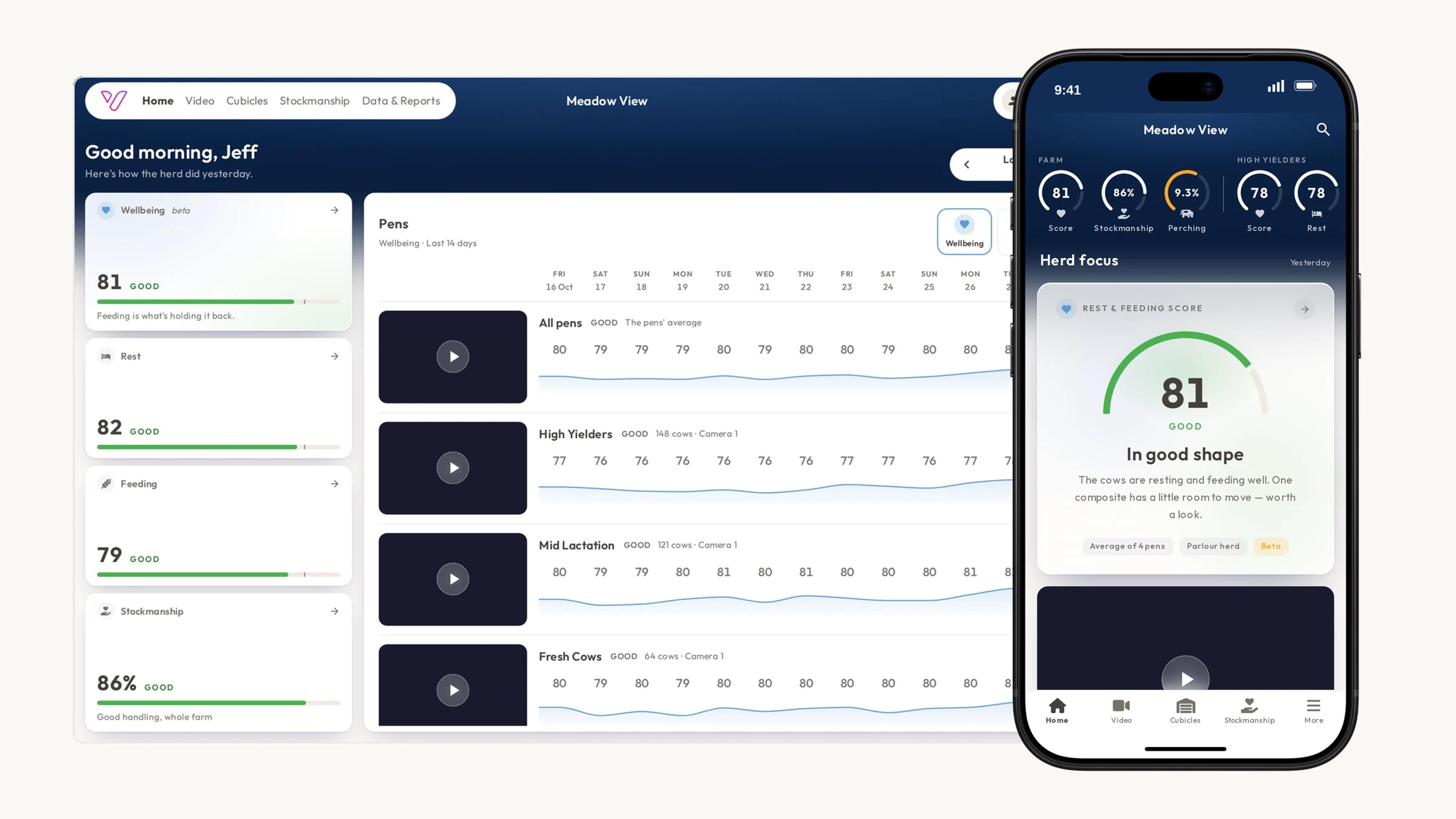
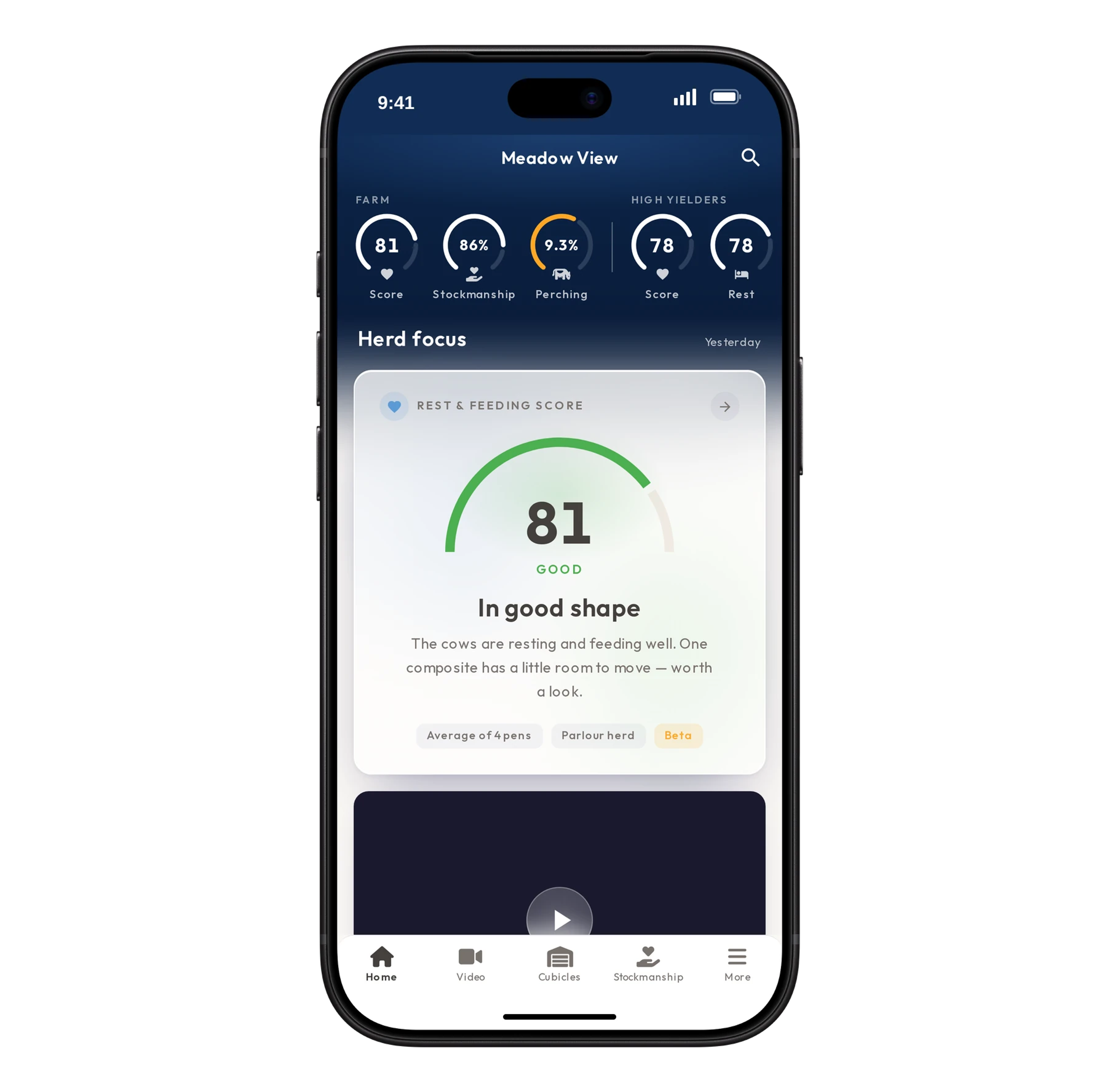
Open the web app and the first thing you see is Wellbeing, one number from 0 to 100 for how well your cows rested and fed yesterday. Higher is better. We work it out every day from the cameras, pen by pen, and it comes back with a sentence like "In good shape. Feeding is what's holding it back."
The iPhone and Android apps call the same number the Rest & Feeding score for now, under Herd focus on their Home screen, with a row of scores for the farm and each pen across the top.
The score sits in one of four bands: Optimal (85 and above), Good (70 to 84), Fair (55 to 69) and Pay attention (below 55). It carries a Beta label for now. We're still checking parts of it against farms we know well, so for the moment watch how it moves from day to day more than the exact number.
Rest, and Feeding & Nutrition
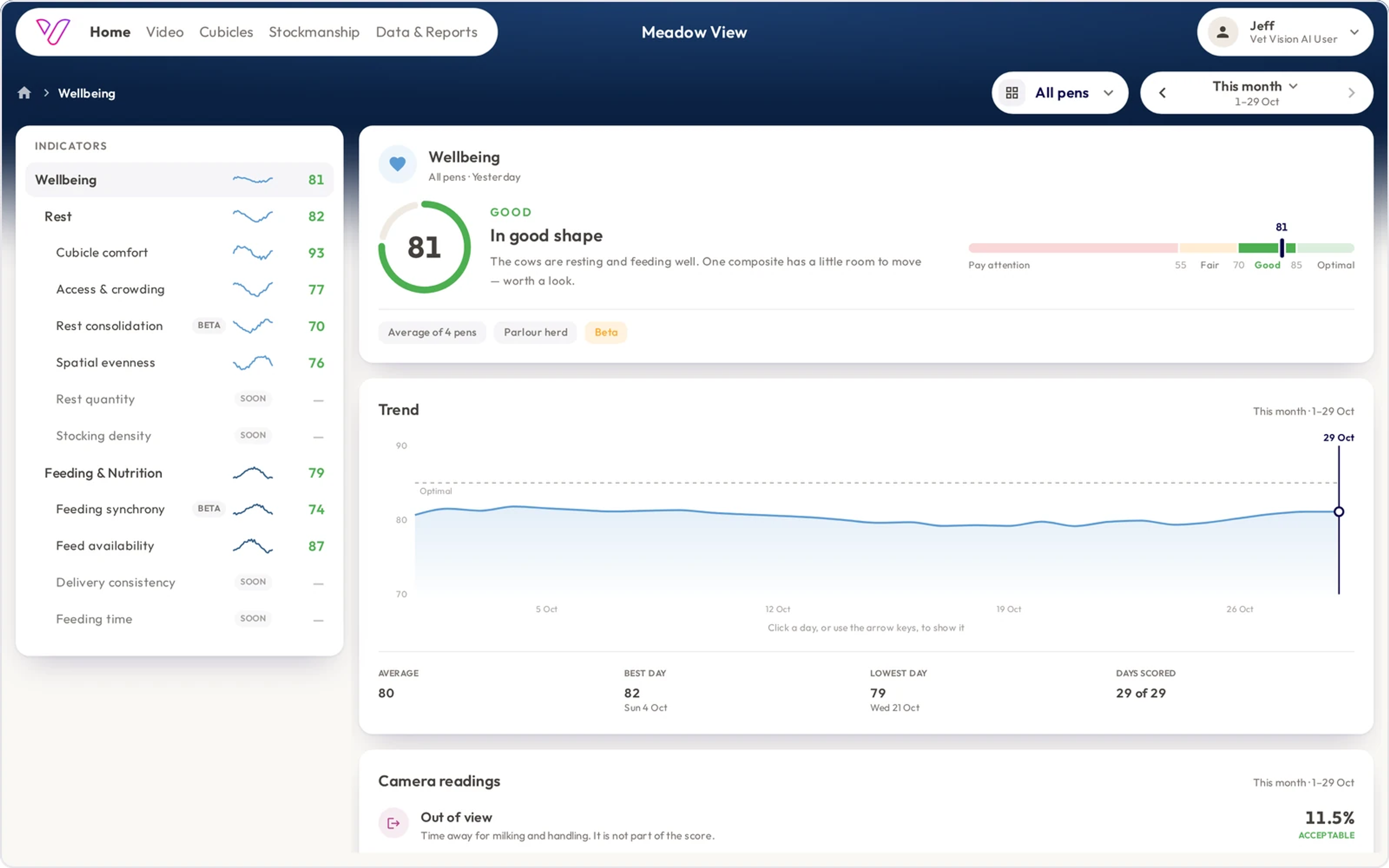
Wellbeing is built from two scores, and each one asks a question you'd ask on a walk round the shed.
Rest asks whether a cow can lie down comfortably, whenever and wherever she wants. It looks at how many of the cows in cubicles are lying down, whether the cows that aren't feeding are lying down at rest time, and whether every cubicle gets used. A whole row sitting empty usually points at the surface, a draught or the layout.
Feeding & Nutrition asks whether the cows can feed when they want to. It looks at whether there's feed in front of them through the day, and whether they can all come to the feed together after a feed-out.
Tap either score to see its trend and the indicators underneath it, each on the same 0 to 100 scale.
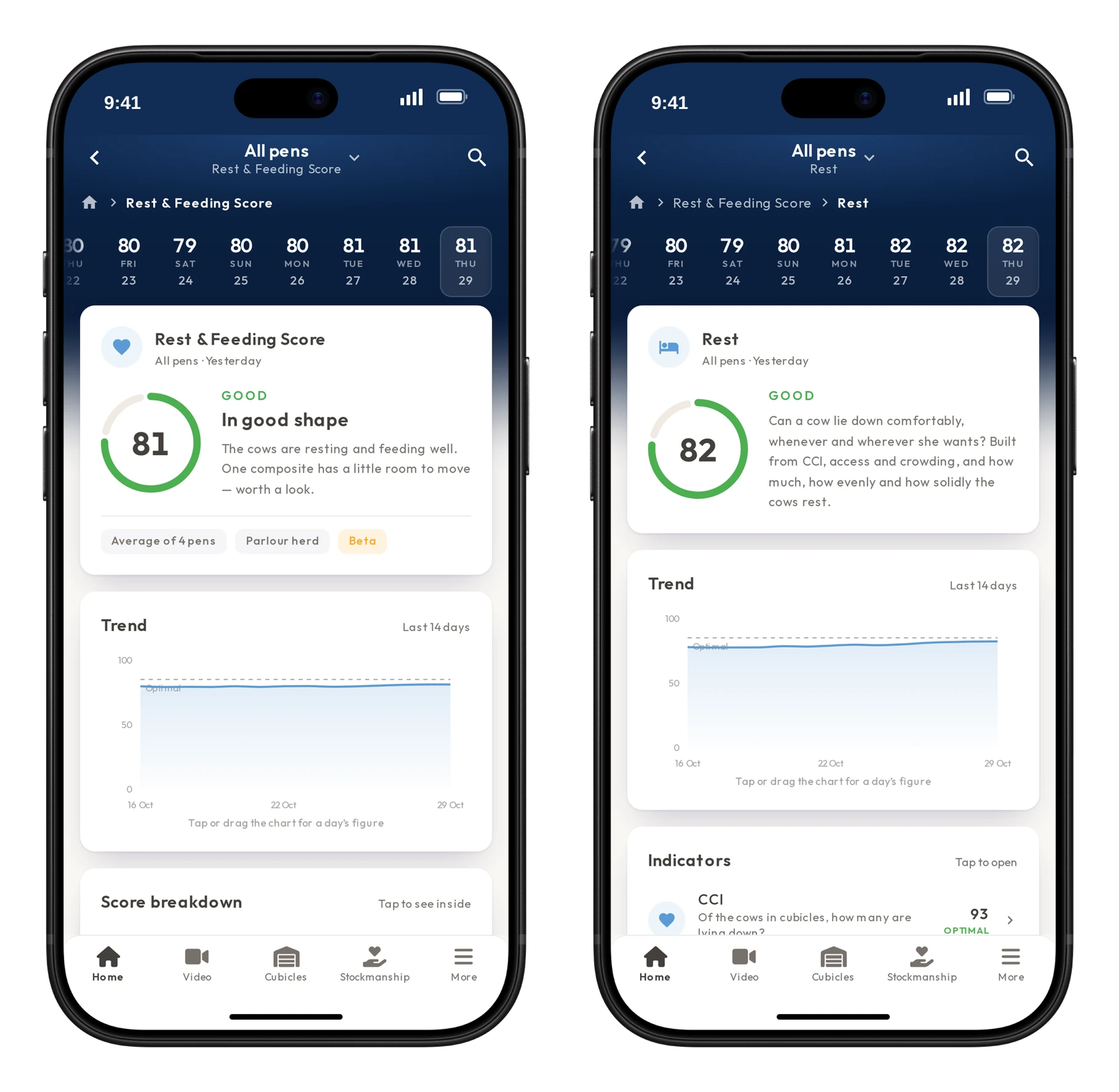
On a computer, the whole list sits down the left of the screen, so you can move from Wellbeing to Rest to a single indicator without losing your place.
Pens and cubicles
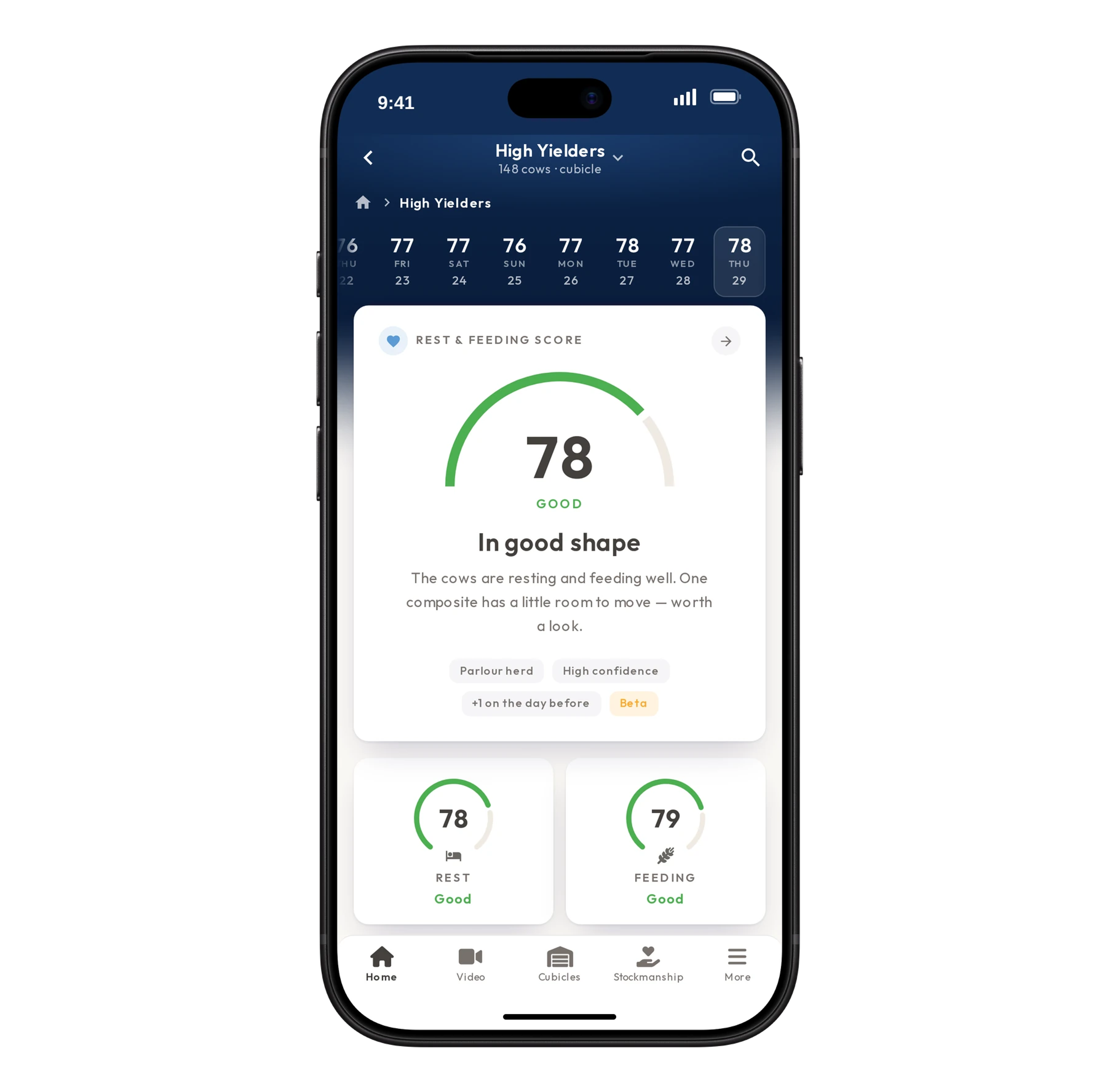
On the web, each pen gets a row with its camera, a play button into the footage and one figure per day (or per week or month over a longer period), so a pen that dips stands out from the rest. On the phone, swipe along the row of scores at the top of Home to move from the farm to each pen. The period runs from a week up to two years. Open a pen to see its scores over time, a still from its camera and its video.
A pen average can tell you something in the shed isn't right. The Cubicles tab shows where. It outlines each cubicle on a midday photo of the shed with its own score, and lists the worst first. A cubicle the cows walk into but only stand in usually points at its size, the neck rail or the surface.
On the phone, Benchmark puts your farm next to the other farms we monitor, pen by pen, and sets out how the farms in the top quarter differ from the rest. Other farms are never named.
Stockmanship
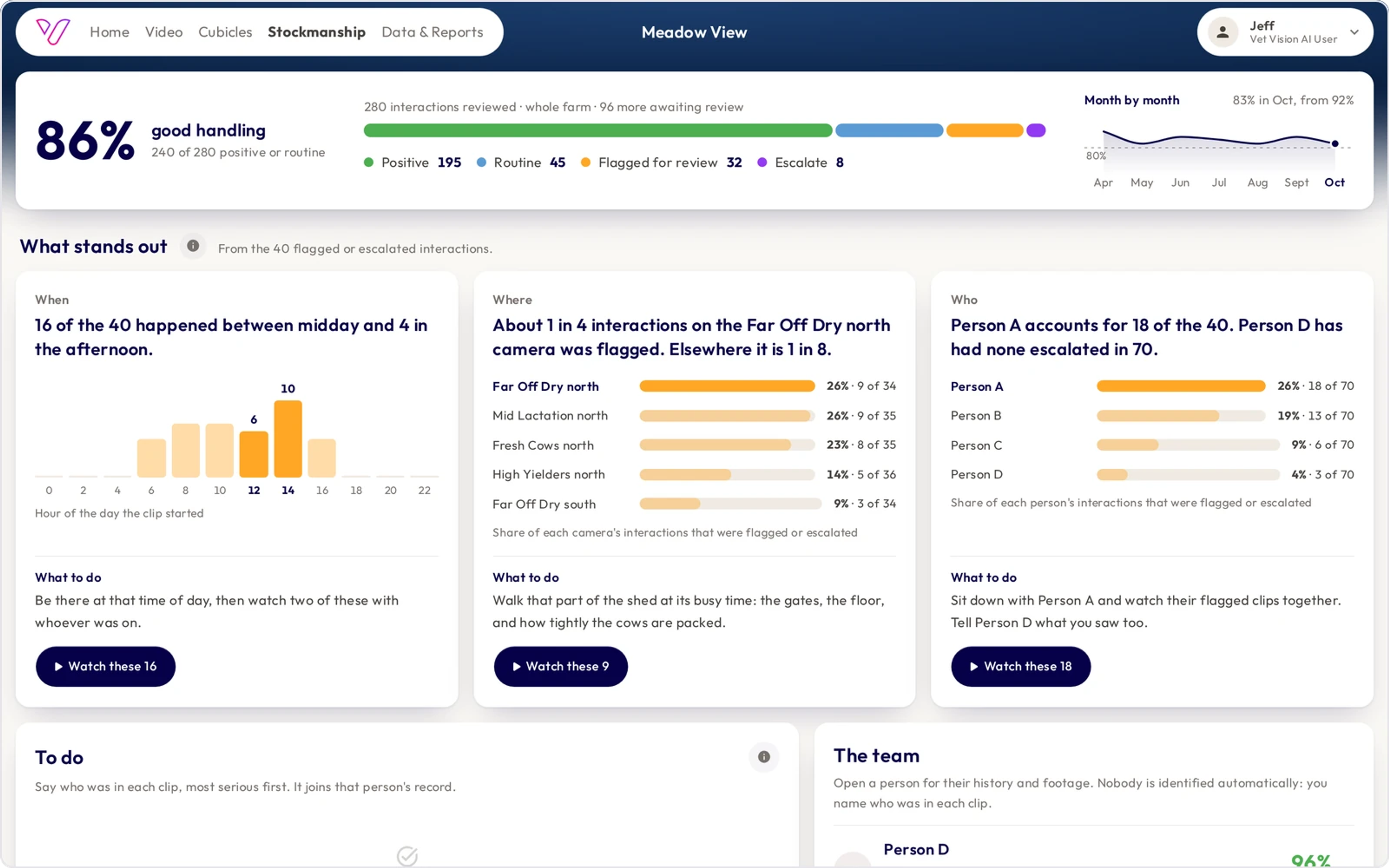
Stockmanship shows how calmly your team handles the cows. The cameras pick out the moments when people and cows meet, and a member of our review team rates each short clip and flags the ones worth a closer look. On farms that don't have Stockmanship switched on, the tab shows a worked example.
The app doesn't recognise anyone. You say who was in each clip, and it joins that person's record. "What stands out" then shows the time of day, the part of the shed and the people that most of the flagged clips involve, and picks out the clips to sit down and watch together.
Data & Reports
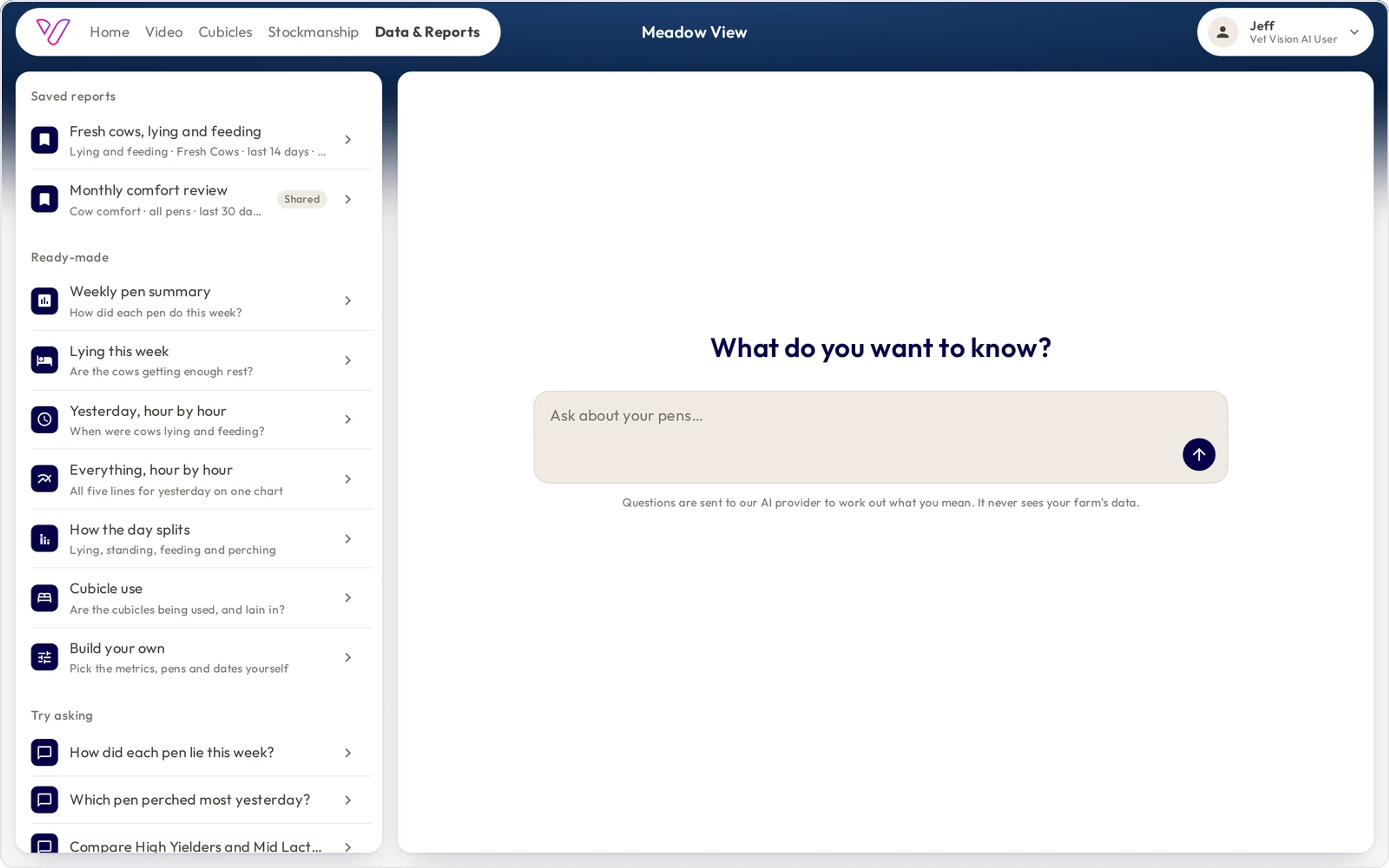
Data & Reports answers questions in your own words, such as "How did each pen lie this week?" or "Which pen perched most yesterday?" It also keeps ready-made reports for the questions farmers ask most often: a weekly pen summary, lying this week, yesterday hour by hour, how the day splits and cubicle use. Save a report to come back to, or send it as a spreadsheet to your vet or nutritionist.
What the scores are for
The scores come from what the cameras record: lying time, standing patterns, feed-face activity and space use. On most farms the cameras see part of the herd, not all of it, so read the figures as a sample rather than a headcount. Your vet examines the animal, and you and your team decide what to do.
Getting the app
- On a computer: dairy.vetvisionai.com
- iPhone: Vet Vision AI | Dairy on the App Store
- Android: Vet Vision AI | Dairy on Google Play
Sign in with your Vet Vision AI for Dairy email and password. Once you're in, the farm's owner can invite the herd manager, the vet or the nutritionist from the Team page, and choose what each of them can see and do. If you've forgotten your password, use "Forgot Password?" on the sign-in page, or email info@vetvisionai.com.
About the author

Commercial Lead
James leads the commercial function at Vet Vision AI, taking our equine and dairy technology to market and building the revenue engine behind them. A proud Kiwi, he's spent his career in early-stage agritech start-ups.
LinkedIn